
Will my phone work?
MHL Checker: How to Tell If Your Phone Supports MHL
An MHL checker can only tell you one thing about a modern phone: it almost certainly does not support MHL. MHL is an older video-out standard for micro-USB phones, found on models from roughly 2011 to 2016. If your phone has a USB-C port, the feature you actually need to check is DisplayPort Alt Mode, which is what current phones use to send video to a TV.
On this page
Many people search for an MHL app or MHL checker because an old guide or an adapter listing told them to. That advice is out of date. This page explains what MHL was, how to check whether an older phone has it, and how to check the feature that replaced it on today's phones.
What is MHL?
MHL (Mobile High-Definition Link) let a phone send video and audio out of its micro-USB port. With an MHL adapter, the phone's screen appeared on a TV through HDMI. It was popular in the micro-USB era, on phones such as early Samsung Galaxy S and Galaxy Note models and some Sony, LG and HTC phones.
Like every wired video-out feature on a phone, MHL had to be built into the hardware. The phone needed an MHL-capable chip wired to the port. A phone without it could not be "upgraded" by an app, a setting or a different cable.
Does my phone support MHL?
If your phone was made in the last several years, the honest answer is almost certainly no. Almost no current phone supports MHL. When phones moved from micro-USB to USB-C, makers dropped MHL and switched to DisplayPort Alt Mode for video output.
A quick rule of thumb:
- USB-C port: do not look for MHL. Check DisplayPort Alt Mode instead (see below).
- Micro-USB port, roughly 2011 to 2016: it might have MHL. Check the spec sheet.
- Micro-USB budget phone: very unlikely. MHL was mostly a flagship feature.
An MHL adapter will not work on a phone without MHL. Plugging one into a modern USB-C phone, through a micro-USB to USB-C converter or otherwise, will not produce a picture. If an adapter listing says "MHL" and your phone has USB-C, it is the wrong product.
How to check MHL on an older phone
There is no reliable software MHL checker, because the phone does not report MHL support to apps in any standard way. The spec sheet is the real test.
- Find the exact model number. Look in Settings > About phone, or under the battery on older phones with removable backs. Variants of the same phone sometimes differ.
- Look up the official specifications. Search the model number plus "specifications" on the maker's site or a spec database. Look for "MHL" in the USB, connectivity or TV-out section.
- Note the MHL version and adapter type. If MHL is listed, check which version and whether the maker required its own adapter.
- Test with the right adapter. Connect the MHL adapter to the phone, to a TV's HDMI input and, if the adapter has one, to a USB power supply. Switch the TV to that HDMI input.
If the spec sheet does not mention MHL, assume the phone does not have it.
MHL vs USB-C: what replaced MHL
On today's phones, the MHL equivalent is DisplayPort Alt Mode (DP Alt Mode). It does the same job over a USB-C port: the phone sends a DisplayPort video signal, and a plain USB-C to HDMI cable converts it for the TV. The idea is the same as MHL. The connector, the standard and the adapters are different.
| MHL | DisplayPort Alt Mode | |
|---|---|---|
| Port | Micro-USB | USB-C |
| Phones | Roughly 2011–2016 models | Current flagships |
| On current phones | Almost none | Most flagships |
| Adapter | MHL adapter | USB-C to HDMI cable or adapter |
| Can an app add it? | No | No |
Just like MHL, DP Alt Mode is hardware. Many USB-C phones, especially budget ones, do not have it. Our DisplayPort Alt Mode explainer covers how it works and why USB 2.0-only USB-C ports cannot carry video.
Check DP Alt Mode instead (the modern MHL check)
If your phone has USB-C, this is the check that matters:
- Our phone list. Find your model in the list of phones that support HDMI output, sorted by brand.
- The spec sheet. Look for "DisplayPort", "DP Alt Mode", "video output" or USB 3.x. "USB 2.0" alone means no video.
- The USB-C to HDMI app. It gives a likely, unlikely or unknown verdict for your model on first launch, then confirms the TV with its resolution and refresh rate when you plug in a cable.
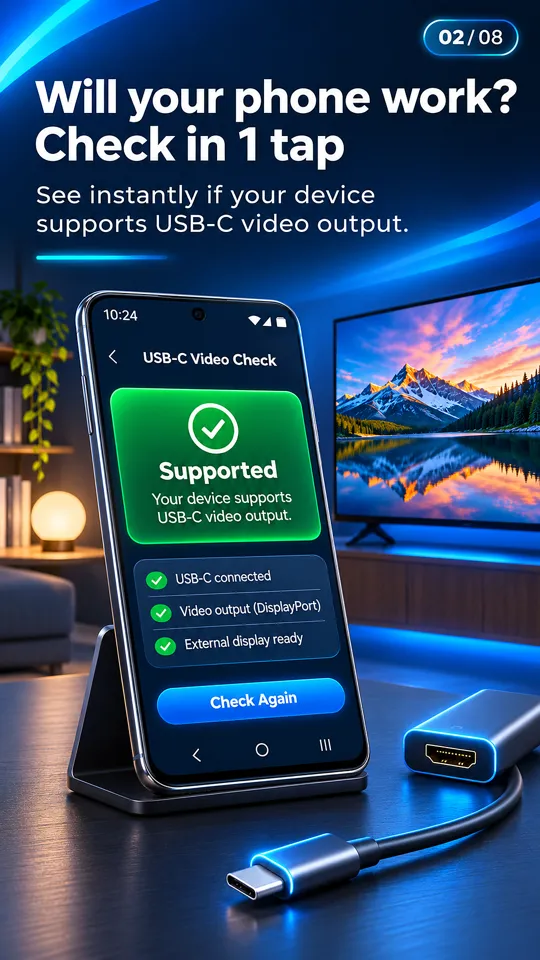
To be clear about what the app does: it checks for USB-C video output and helps you connect. It does not add HDMI or MHL support to a phone that lacks it. If your phone has neither, it can cast photos and videos to a TV over Wi-Fi instead.
Is there an MHL app that makes it work?
No. An MHL app cannot make an MHL adapter work on a phone without MHL hardware, and no app can make a USB-C to HDMI cable work on a phone without DP Alt Mode. Apps listed as "MHL" or "HDMI enabler" can at best tell you about your phone. They cannot change it.
The same goes for OTG. USB On-The-Go lets a phone use USB drives, keyboards and cameras. It does not give video output, so "OTG to HDMI" adapters only work on phones that already support DP Alt Mode (or MHL, on old phones). Our USB-C to HDMI adapter guide explains which adapters work on which phones.
No MHL, no DP Alt Mode: other ways to reach the TV
If your phone has neither, a cable will not work, but you still have options:
- Chromecast or Google TV casting for photos, videos and supported apps.
- Screen mirroring or Smart View (Miracast), built into many Android phones, to a smart TV that supports it.
- DLNA casting to smart TVs from Samsung, LG, Sony and others.
- Browser Cast: open an address in the TV's web browser to show your photos and videos.
Some of these work without a router or internet. See how to connect a phone to a TV without Wi-Fi.
Questions people ask
How do I know if my phone supports MHL?
Look up your exact model's official specifications and search for "MHL". If it is not listed, assume no. If your phone has a USB-C port, it almost certainly does not have MHL; check DisplayPort Alt Mode instead.
Is there an MHL checker app?
Apps cannot reliably detect MHL, and none can add it. The spec sheet is the real MHL check. For USB-C phones, the USB-C to HDMI app checks DisplayPort Alt Mode, the feature that replaced MHL.
Will an MHL adapter work on a USB-C phone?
No. MHL adapters only work on phones with MHL hardware, which almost no USB-C phone has. Use a USB-C to HDMI cable on a phone that supports DisplayPort Alt Mode.
Do Samsung phones support MHL?
Some early Galaxy S and Galaxy Note models did. Current Samsung phones do not use MHL. Galaxy S8 and newer S models, Note 8 and newer, Z Fold and Tab S use DisplayPort Alt Mode over USB-C instead.
What is the difference between MHL and USB-C video output?
MHL is the older micro-USB standard from about 2011 to 2016. USB-C video output on current phones uses DisplayPort Alt Mode. Both need hardware support, and their adapters are not interchangeable.