
Connect phone to TV
Wired Cast: How to Mirror Your Phone to a TV with a Cable
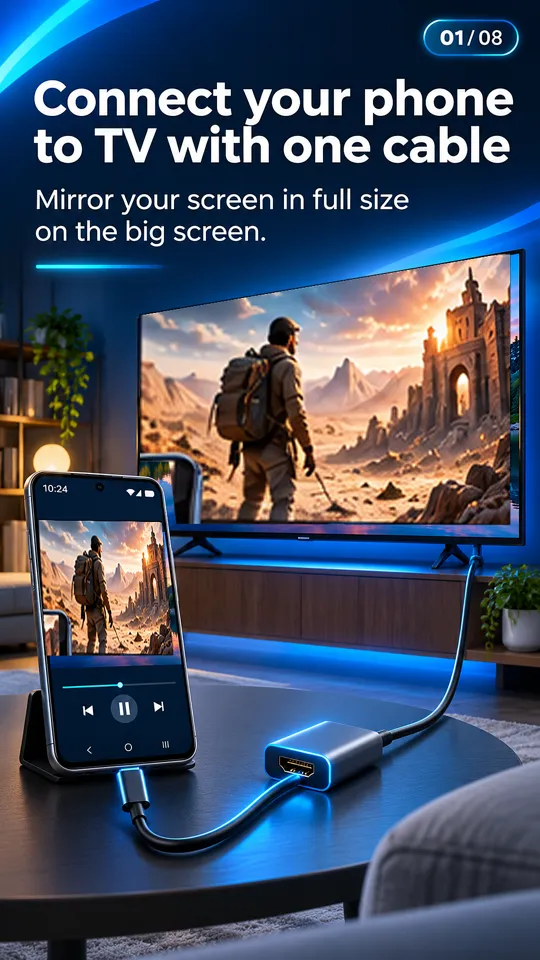
Wired cast means mirroring your phone to a TV through a cable instead of Wi-Fi. On Android, that's a USB-C to HDMI cable or adapter: the phone sends video out of its USB-C port using DisplayPort Alt Mode, and the TV shows your screen with sound, no lag and no network. It only works on phones that support DP Alt Mode, such as Galaxy S and Note flagships, Pixel 8 and newer, and Xperia 1 and 5.
On this page
"Cast" usually means sending something over Wi-Fi, so "wired cast" sounds like a contradiction. In practice people use it to mean what a cable does: put the phone's screen on the TV, without depending on a network that may be slow, crowded or blocked. Here's what wired screen mirroring actually is, how to set it up, and when it's the better choice.
What wired cast actually is
There's no special "wired cast" protocol. When you connect with a cable, the phone outputs a real video signal over its USB-C port using DisplayPort Alt Mode (DP Alt Mode), a VESA standard for carrying DisplayPort over USB-C. A USB-C to HDMI cable or adapter converts that into HDMI for the TV. The TV treats your phone like any other HDMI source, such as a game console or laptop.
Because it's a hardware feature, it depends on the phone. The chipset and USB-C port wiring must support it and the maker must enable it. Phones with USB 2.0-only USB-C ports can't carry it, and no app or setting can add it. Read more in what DisplayPort Alt Mode is.
Which phones support it?
- Yes: Samsung Galaxy S8 and newer S models, Note 8 and newer, Z Fold, Tab S4 and newer, Galaxy A90 5G; Pixel 8, 8 Pro, 8a and newer (with Android 16); Sony Xperia 1 and 5; ASUS ROG Phone; Motorola Edge 20 Pro, Edge 30 Pro, Edge 30 Ultra, Edge 40 Pro, Edge 50 Ultra, Edge+, moto g100 and g200; Huawei Mate and P flagships; some LG G and V flagships.
- Usually no: Galaxy A, M and F (except the A90 5G), Galaxy Z Flip, Pixel 7 and older, Redmi, POCO, OnePlus, Realme, Tecno, Infinix, Nokia, moto g and e.
The complete list is in phones that support HDMI output. iPhone 15 and newer also output video over USB-C, though this site and our app are about Android.
How to wired cast your phone to a TV
- Confirm your phone supports video out. Check the list above, or open the free USB-C to HDMI app for a verdict on your exact model.
- Get a screen mirroring cable. A USB-C to HDMI cable, a USB-C to HDMI adapter with an HDMI cable, or a USB-C hub with HDMI and PD charging. See connecting your phone to a TV with HDMI for the differences.
- Connect phone and TV. HDMI end into the TV, USB-C end into the unlocked phone.
- Pick the HDMI input on the TV. Press Input or Source on the remote. Your screen appears within seconds.
- Go landscape. Rotate the phone and use full screen in video apps to fill the TV. On Samsung, DeX may open; turn it off in quick settings if you want a plain mirror.
Once connected, the app's live HDMI detection turns its status card green and shows the TV's resolution and refresh rate, so you know the link is working.
Wired cast vs Wi-Fi casting
| Wired cast (USB-C to HDMI) | Wi-Fi casting / screen mirroring | |
|---|---|---|
| Lag | None you'll notice | Some, more when mirroring |
| Picture quality | Up to 1080p or 4K, steady | Depends on signal; can drop |
| Needs Wi-Fi | No | Yes (Miracast can skip the router on some TVs) |
| Works in hotels and offices | Yes, if the TV's HDMI port is reachable | Often blocked by guest networks |
| Phone compatibility | Only phones with DP Alt Mode | Almost any Android phone |
| TV compatibility | Any TV with HDMI | Depends on Chromecast, Miracast or DLNA support |
| Phone free to move | Tethered by the cable | Yes |
| Battery | Can charge through a PD adapter | Mirroring drains it faster |
In short: wired screen mirroring wins on lag, reliability and places with bad or locked-down Wi-Fi. Wi-Fi casting wins on phone compatibility and freedom from cables. If you're gaming, presenting, or in a hotel room, a cable is the safer bet. If your phone lacks DP Alt Mode, Wi-Fi is your only route.
Tip: In offices and hotels, network casting often fails because guest networks stop devices from seeing each other. A cable avoids the network entirely. More options in how to connect your phone to a TV without Wi-Fi.
Cast your media vs mirror your screen
These two get mixed up, and the difference matters.
Mirroring copies everything on your phone's screen to the TV: apps, menus, notifications, games. A cable connection is always mirroring (or Samsung DeX's desktop view). Wireless screen mirroring through Miracast or Smart View does the same thing over Wi-Fi.
Casting media sends a specific photo or video to the TV, which plays it itself. The phone becomes a remote, you can lock it or use other apps, and the battery lasts longer. Chromecast and DLNA work this way.
The USB-C to HDMI app does both jobs where it can: it detects and helps with the wired connection, and when a cable isn't an option it casts your photos and videos over Wi-Fi to Chromecast or Google TV, DLNA smart TVs (Samsung, LG, Sony and others) found under "Choose your TV", or a TV's web browser, with a slideshow and the phone as remote. It can't add HDMI output to a phone that lacks it.
Streaming apps and black screens. Netflix, Prime Video and Disney+ may block or black out video over HDMI on some phones because of HDCP copy protection. For those apps, their own cast button to a Chromecast or smart TV is often the way that works.
Cable connected but nothing on the TV?
Check the TV's input, try another cable (charge-only USB-C cables carry no video), connect a charger to the adapter's PD port, unlock and restart the phone, and update a Pixel 8 or newer to Android 16. Our USB-C to HDMI not working guide goes through each fix.
Questions people ask
What is wired cast?
Wired cast is mirroring your phone to a TV through a cable instead of Wi-Fi. On Android, it's a USB-C to HDMI cable that uses the phone's DisplayPort Alt Mode video output.
How do I wired cast my Android phone to my TV?
Plug a USB-C to HDMI cable into the phone and the TV, unlock the phone, and select that HDMI input on the TV. Your phone must support DP Alt Mode.
Is there a screen mirroring USB cable for any phone?
No. A plain USB-C to HDMI cable only works on phones with DisplayPort Alt Mode. Some DisplayLink-type adapters with a driver app work on other phones, at lower quality and with more latency.
Is wired screen mirroring better than Wi-Fi casting?
For lag, picture stability and places without usable Wi-Fi, yes. Wi-Fi casting works with far more phones and leaves you free to move around.
Does wired casting need internet?
No. The video goes straight through the cable, so it works without Wi-Fi, mobile data or a router.